Quickture Reader’s realtime chat functionality lets you converse with your script with the power of “AI”, you know, Artificial Intelligence!
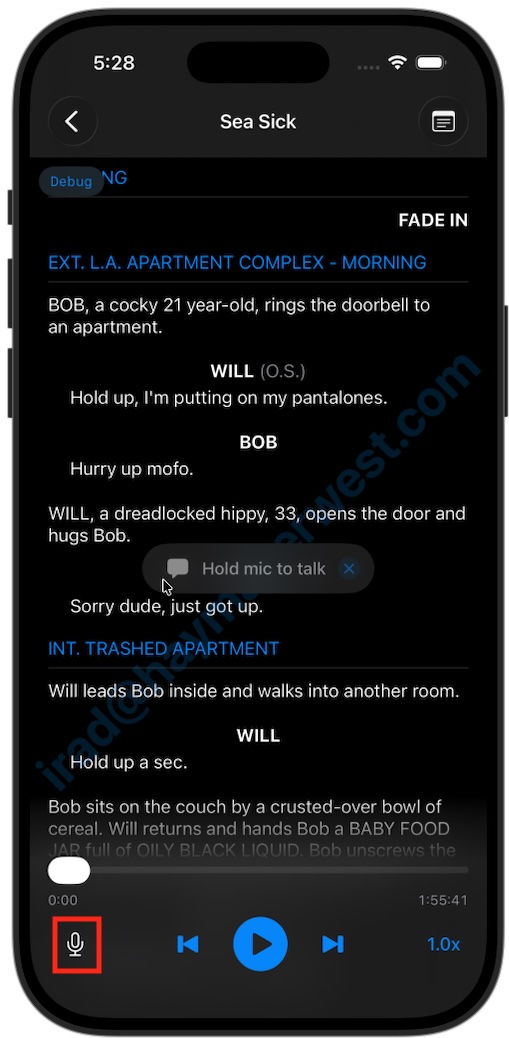
In script view, you’ll see a little microphone icon in the bottom left:
Tap the microphone to initiate the chat connection
Then Tap and hold to speak to Quickture

Chat can do all kinds of cool things and can generally answer any questions about the script:
Answer questions about an act, scene, character and more.
Find specific lines of interest.
Jump to specific scenes or lines.
Add notes to the current position, or some other part in the script.
Try these prompts to get results:
“Remind me what happened in Act 1”
“What are Obi Wan’s three coolest lines?”
“Add a note here that says ‘We need to plant the idea that there is something sinister about her relationship with her mother somewhere around here.’”
“Add a note on the Walter’s first line that says ‘Ask Tina for a good needle drop for his intro’”.
“Jump to the part where the priest enters.”
And more!