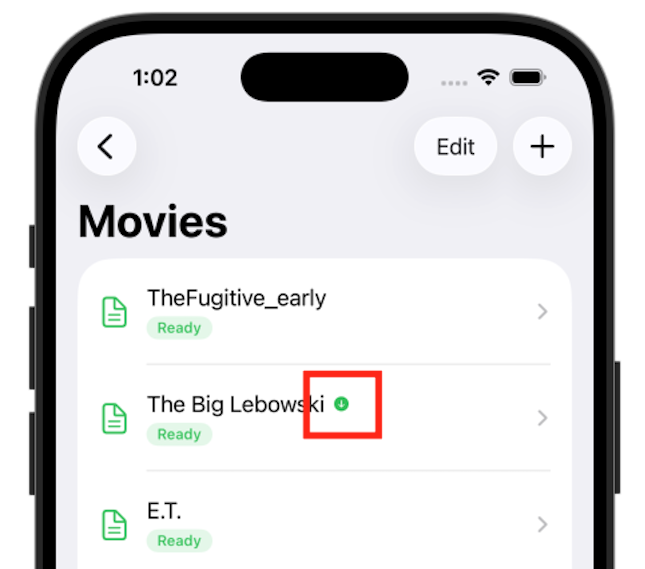
On your iPhone, when you tap on a screenplay in Folder View, Quickture Reader immediately streams the audio to your device so you can start listening right away.
As soon as all the audio for a screenplay is downloaded to your phone, you can then listen to your script offline. This is like loading up your iPad for the big flight to London. It takes about 30 seconds to download a feature script on typical wifi (though speeds will vary!).
You’ll know your audio is available for offline listening because you’ll see a cute little green download icon next to the script in the list. That means it’s fully downloaded and available to listen without an internet connection.