Button | What it Does |
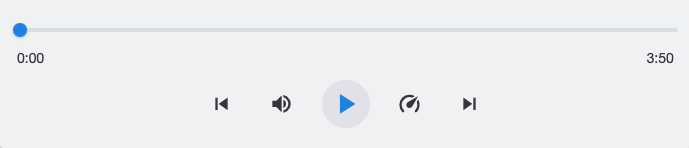
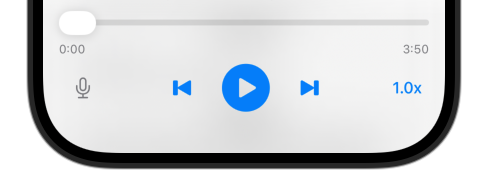
Play/Pause | Start or stop playback |
Skip Back | Jump to the previous scene |
Skip Forward | Jump to the next scene |
Volume | Adjust how loud the audio plays |
Speed | Play faster or slower (0.5x, 0.75x, 1x, 1.2x, 1.5x, 2x) |
Playhead | Drag the audio playhead to jump to that point |
As the audio plays, the current line highlights automatically and the script scrolls to keep it visible. If you scroll manually to look at something else, auto-scroll pauses. Press play again to resume following.
The app remembers your position. Close it mid-script, come back later, and playback resumes right where you stopped -- even on a different device.
Key | Action |
Space | Play/Pause |
Left Arrow | Skip back |
Right Arrow | Skip forward |
Up Arrow | Volume up |
Down Arrow | Volume down |